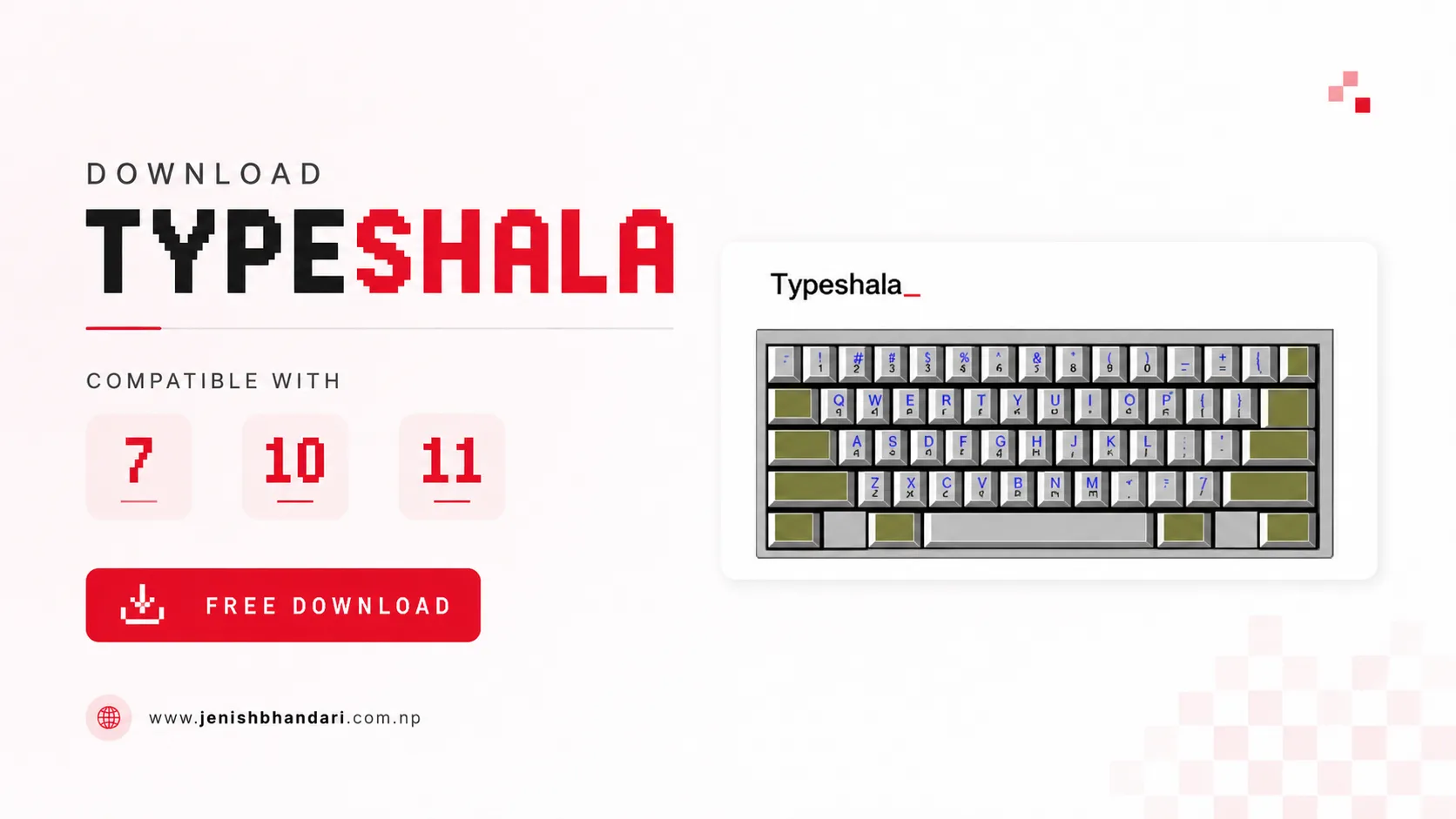
Download Typeshala for Windows - Free Nepali Typing Tutor
Typeshala is Nepal's most popular and trusted bilingual typing tutor software, designed to help users master both Nepali (Devanagari script) and English typing. Whether you're a student, professional, or anyone looking to improve their typing speed and accuracy, Typeshala download offers the perfect solution for learning to type efficiently in both languages.
With millions of users across Nepal and worldwide, Typeshala has established itself as the go-to typing tutor for Devanagari script typing practice. The software combines educational content with entertaining typing games, making the learning process both effective and enjoyable. For those who prefer online practice, there's also an online Typeshala version available.
Why Choose Typeshala for Typing Practice?
Typeshala has been serving the Nepali typing community for over a decade, maintaining its position as the most reliable Nepali typing software. Despite being introduced many years ago, it remains highly relevant due to its comprehensive approach to teaching both Nepali and English typing through interactive lessons and engaging games.
The software's intuitive interface makes it accessible for beginners while providing advanced features for experienced typists looking to increase their words-per-minute (WPM) speed. Whether you're preparing for competitive exams, improving your office productivity, or learning to type in your native language, Typeshala provides structured lessons that progressively build your typing skills.
Important Note for Windows 10 Users: Typeshala was originally developed for 32-bit Windows operating systems. If you're using Windows 10 (64-bit), Windows 8 (64-bit), or any newer 64-bit operating system, we recommend downloading TypeSolute instead, which is a modern alternative specifically designed for 64-bit systems with enhanced features.
Key Features of Typeshala Typing Tutor
Typeshala comes packed with features that make it the best choice for learning Nepali and English typing:
- Completely Offline: Works without internet connection, allowing you to practice anytime, anywhere
- Bilingual Support: Master both Nepali (Devanagari) and English typing in one application
- Interactive Typing Games: Make learning fun with built-in games that improve your speed and accuracy
- User-Friendly Interface: Simple, clean design that's easy to navigate for users of all ages
- Progressive Lessons: Structured curriculum with multiple lessons that gradually increase in difficulty
- Devanagari Script Mastery: Specialized focus on Nepali Unicode and Preeti font typing
- Low System Requirements: Runs smoothly even on older computers with minimal specifications
- Free Forever: No subscription fees, no hidden costs, completely free to use
- Real-time Statistics: Track your typing speed (WPM), accuracy, and progress over time
- Customizable Practice: Choose specific lessons or create custom typing exercises
Typeshala System Requirements
One of the advantages of Typeshala is its minimal system requirements, making it accessible to users with older computers. Here are the specifications for smooth operation:
Minimum System Requirements:
- Free Hard Drive Space: 5MB (very lightweight installation)
- Operating System: Windows 7 (32-bit), Windows Vista, or Windows XP
- Processor: Intel Celeron or any equivalent processor
- Memory (RAM): 512MB (works with less, but 512MB recommended)
- Architecture: 32-bit Windows operating system
Recommended System for Best Performance:
- Operating System: Windows 7 (32-bit)
- Processor: Intel Core 2 Duo or higher
- Memory (RAM): 1GB or more
- Display: 1024x768 resolution or higher
How to Download Typeshala for Windows 7 (32-bit)
Follow these simple steps to download Typeshala and start improving your Nepali and English typing skills:
- Click the Download Button: Click on the "Typeshala 32bit" button below to start the download
- Automatic Download: Your download will begin automatically. The file size is approximately 5MB
- Extract ZIP File: Once downloaded, locate the ZIP file in your Downloads folder and extract it using WinRAR or Windows built-in extraction tool
- Open Extracted Folder: Navigate to the extracted folder named "Typeshala"
- Launch Application: Find the Typeshala.exe file (application file with .exe extension) at the bottom of the folder
- Start Typing: Double-click the .exe file to launch Typeshala and begin your typing practice
Pro Tip: Create a desktop shortcut for quick access by right-clicking the .exe file and selecting "Create Shortcut," then move the shortcut to your desktop.
Looking to enhance your Nepali typing projects? Check out our collection of 30+ Best Stylish Nepali Fonts to level up your design work, infographics, and creative projects. These professional fonts are perfect for impressing clients and creating stunning Nepali content.
TypeSolute - Best Alternative for Windows 10 (64-bit)
If you're using Windows 10 (64-bit), Windows 8 (64-bit), or any newer 64-bit operating system, TypeSolute is the perfect alternative to Typeshala. Developed by AppSolute Innovation and coded by Pb Prakash and Prabin Bhandari, TypeSolute is a modern, feature-rich typing tutor that surpasses the original Typeshala in many ways.
Why Choose TypeSolute?
TypeSolute represents the evolution of Nepali typing tutors, offering enhanced compatibility with modern Windows systems while maintaining all the beloved features of Typeshala. It's specifically optimized for 64-bit systems, ensuring smooth performance on Windows 10, Windows 11, and future Windows versions.
TypeSolute Features:
- Full 64-bit Compatibility: Designed specifically for modern Windows 10 and Windows 11 systems
- Unicode Nepali Typing: Native support for Unicode Nepali typing
- Preeti Font Support: Practice typing with popular Preeti Nepali font
- English Typing Module: Comprehensive English typing lessons and practice
- Modern User Interface: Clean, intuitive design with improved user experience
- Multiple Typing Modes: Practice, test, and game modes for varied learning
- Regular Updates: Active development with regular improvements and bug fixes
- Free and Open: Completely free to download and use, no registration required
- Lightweight Installation: Quick installation process with minimal system impact
- Performance Statistics: Detailed tracking of your typing speed and accuracy improvements
How to Install TypeSolute on Windows 10 (64-bit)
Installing TypeSolute is straightforward. Follow these steps to get started with TypeSolute on your 64-bit Windows system:
- Download TypeSolute: Click the "Download TypeSolute" button below to start downloading
- Extract RAR File: Use WinRAR or 7-Zip to extract the TypeSolute.rar file to a location on your computer
- Open TypeSolute Folder: Navigate to the extracted folder named "TypeSolute"
- Launch Application: Double-click on TypeSolute.exe to run the program
- Access Software Features: Click on "Go-To Software" or "Start" to access the typing lessons
- Begin Practice: Choose your preferred typing mode (Nepali Unicode, Preeti, or English) and start practicing
Note: If Windows SmartScreen shows a warning, click "More info" and then "Run anyway" to proceed with the installation. TypeSolute is safe and verified software.
Typeshala vs TypeSolute: Which Should You Choose?
Choosing between Typeshala and TypeSolute depends primarily on your Windows operating system architecture:
| Feature | Typeshala | TypeSolute |
|---|---|---|
| Operating System | Windows 7/Vista/XP (32-bit) | Windows 10/11 (64-bit) |
| Nepali Typing | Yes (Devanagari) | Yes (Unicode & Preeti) |
| English Typing | Yes | Yes |
| Typing Games | Multiple Games | No Games |
| User Interface | Classic | Modern |
| Updates | No longer updated | Regular updates |
Quick Decision Guide:
- Using Windows 7 32-bit or older? → Download Typeshala
- Using Windows 10/11 64-bit? → Download TypeSolute
- Want typing games? → Use Typeshala (if compatible with your system)
- Need Unicode Nepali typing? → TypeSolute is better optimized
Frequently Asked Questions (FAQ)
1. Is Typeshala completely free?
Yes, both Typeshala and TypeSolute are completely free to download and use. There are no hidden charges, subscription fees, or premium versions. You get full access to all features without any cost.
2. Can I use Typeshala on Windows 10?
Typeshala may have compatibility issues on Windows 10, especially on 64-bit systems. For Windows 10 users, we strongly recommend downloading TypeSolute, which is specifically designed for modern Windows operating systems.
3. Do I need an internet connection to use Typeshala?
No, Typeshala works completely offline. Once downloaded and installed, you can practice typing without any internet connection, making it perfect for areas with limited connectivity.
4. Which typing software is better for learning Nepali typing?
Both Typeshala and TypeSolute are excellent for learning Nepali typing. TypeSolute has better Unicode support and modern features, while Typeshala offers more interactive games. Choose based on your operating system compatibility.
5. How long does it take to learn typing with Typeshala?
With regular practice (30-60 minutes daily), most users can achieve decent typing speed (30-40 WPM) in 2-3 months. Advanced speeds (60+ WPM) typically require 6-12 months of consistent practice.
6. Can I practice both Nepali and English typing?
Yes, both Typeshala and TypeSolute offer bilingual support, allowing you to practice both Nepali (Devanagari script) and English typing within the same application.
7. What is the difference between Unicode and Preeti font typing?
Unicode Nepali is the standardized format widely supported across platforms and applications. Preeti is a legacy font format still used in many Nepali offices and publications. TypeSolute supports both formats.
8. Is Typeshala safe to download?
Yes, Typeshala is completely safe to download from the official link provided on this page. It contains no viruses, malware, or adware. Always download from trusted sources to ensure safety.
Tips for Improving Your Typing Speed
To get the most out of Typeshala or TypeSolute and rapidly improve your typing skills, follow these proven tips:
- Practice Daily: Consistency is key. Practice for at least 30 minutes every day
- Maintain Proper Posture: Sit upright with your feet flat on the floor and arms at a 90-degree angle
- Use All Fingers: Learn touch typing by using all ten fingers instead of just two or four
- Don't Look at Keyboard: Train yourself to type without looking at the keys
- Focus on Accuracy First: Speed will come naturally once you achieve consistent accuracy
- Complete All Lessons: Follow the progressive lesson structure instead of jumping ahead
- Use Typing Games: Make practice fun with the built-in games (Typeshala)
- Take Regular Breaks: Rest your hands and eyes every 15-20 minutes to avoid strain
- Set Realistic Goals: Track your progress and set achievable WPM targets
- Practice Real Content: Type articles, stories, or documents for practical experience
Troubleshooting Installation Issues
If you're facing problems while installing Typeshala or TypeSolute, try these solutions:
Common Issues and Solutions:
- File won't extract: Install WinRAR or 7-Zip to extract compressed files
- Application won't launch: Right-click the .exe file and select "Run as Administrator"
- Compatibility error on Windows 10: Download TypeSolute instead of Typeshala
- Missing fonts: Install Nepali Unicode fonts from Microsoft or Google
- Antivirus blocking: Add Typeshala/TypeSolute to your antivirus exception list
- Download interrupted: Clear browser cache and try downloading again
Still facing issues? Leave a comment below with details about your problem, including your Windows version and the specific error message. Our community and support team will help you resolve the issue quickly.
Additional Resources
Enhance your Nepali typing experience with these helpful resources:
- How to Type in Nepali on Laptop? - Complete guide for enabling Nepali typing on your computer
- Download Preeti Font Keyboard Layout - Essential for Preeti font typing practice
- Download Nepali Calendar for PC - Keep track of Nepali dates while you work
- 30+ Best Stylish Nepali Fonts - Professional fonts for your design projects
Conclusion
Whether you choose to download Typeshala for your older Windows system or opt for TypeSolute on your modern 64-bit operating system, you're making an excellent choice for learning Nepali and English typing. These free typing tutors have helped millions of users across Nepal and worldwide master the art of touch typing in both languages.
Remember, becoming proficient at typing is a journey that requires patience, consistent practice, and the right tools. With Typeshala or TypeSolute, you have access to one of the best free typing tutors available, complete with structured lessons, progress tracking, and (in Typeshala's case) entertaining games to keep you motivated.
Start your typing journey today by downloading the appropriate software for your system, and within a few months of regular practice, you'll notice significant improvements in your typing speed and accuracy. Whether you're a student preparing for competitive exams, a professional looking to boost productivity, or someone who simply wants to type faster in their native language, Typeshala and TypeSolute are here to help you achieve your goals.
Download now and join thousands of satisfied users who have transformed their typing skills!
Need Help? If you're experiencing any issues with downloading, installing, or using Typeshala or TypeSolute, please leave a comment below. Our community is active and ready to help you get started with your typing practice. We typically respond within 24 hours!
8 Comments
nice
ReplyDeleteThanks sir.... keep visiting
Deletethank you
ReplyDeleteThank you so much for your response... keep visiting <3.
Deletedownload kina hunna ra
ReplyDeleteSorry sir for the inconvenience. It's all fixed now.
DeleteMany problem for download
ReplyDeleteSir, All Problems are now fixed you can easily Download Typeshala from the available download Links.
DeleteNOTE: Typeshala won't run on windows 10 or 8 (64 Bit Os). So, Kindly Download It's Alternative "Typesolute".