

30+ Stylish Nepali Fonts Free Download - Beautiful Devanagari Fonts 2026
Creative professionals including video editors, graphic designers, and content creators are increasingly seeking beautiful, attractive, and stylish Nepali fonts for their projects. The demand for high-quality Devanagari fonts has grown exponentially as more creative work incorporates Nepali text in professional and artistic ways.
Stylish Nepali fonts have become essential tools in various creative industries. From lyrical videos and inspirational quotes to wedding invitations and business branding, these beautiful Devanagari fonts add visual appeal and cultural authenticity to any project. Whether you're creating social media content, designing posters, editing videos, or working on print materials, having access to a diverse collection of Nepali fonts is crucial for producing professional-quality work.
If you're into graphics designing, infographics, video editing, wedding card design, or simply want to impress clients and friends with your creative skills, this comprehensive collection of 30+ stylish Nepali fonts will significantly enhance your projects. When used properly, these Nepali fonts can transform ordinary designs into extraordinary visual experiences that capture attention and communicate effectively.
Why Use Stylish Nepali Fonts?
The right font choice can make or break a design. Stylish Nepali fonts offer several advantages for creative professionals and enthusiasts:
- Cultural Authenticity: Devanagari fonts maintain the cultural essence of Nepali text while adding modern aesthetic appeal
- Visual Impact: Attractive fonts grab attention and make content more engaging, especially on social media
- Professional Quality: High-quality fonts elevate the overall look of designs, making them appear more polished and professional
- Versatility: Different font styles suit different projects - from formal documents to creative artwork
- Brand Identity: Unique fonts help create distinctive brand identities for Nepali businesses
- Emotional Connection: Beautiful fonts evoke emotions and create stronger connections with Nepali-speaking audiences
- Competitive Edge: Stand out from competitors with unique, eye-catching typography
Best Uses for Stylish Nepali Fonts
These beautiful Nepali fonts are perfect for a wide range of creative applications:
Video Production:
- Lyrical Videos: Create stunning Nepali song lyrics videos for YouTube and social media
- Title Cards: Design professional opening and closing credits for videos
- Subtitles: Add stylish Nepali subtitles to video content
- Video Thumbnails: Create eye-catching thumbnails with attractive Nepali text
- Motion Graphics: Incorporate Devanagari text in animated graphics
Graphic Design:
- Posters: Design impactful posters for events, movies, and campaigns
- Banners: Create professional banners for shops, events, and advertisements
- Social Media Posts: Design engaging Facebook, Instagram, and Twitter graphics
- Infographics: Present data and information in visually appealing Nepali infographics
- Logo Design: Create memorable brand logos with unique Nepali typography
Print Materials:
- Wedding Cards: Design elegant invitation cards for weddings and ceremonies
- Brochures: Create informative brochures for businesses and organizations
- Business Cards: Design professional visiting cards with stylish Nepali text
- Certificates: Make beautiful certificates and awards
- Greeting Cards: Design festive cards for Dashain, Tihar, and other occasions
Digital Content:
- Website Headers: Create attractive website banners and headers
- App Interfaces: Design mobile app interfaces with beautiful Nepali fonts
- E-books: Format digital books with readable, attractive Nepali fonts
- Presentations: Make impactful PowerPoint and presentation slides
How to Install Nepali Fonts
Installing these beautiful Nepali fonts is simple and straightforward. Follow these detailed steps to get started with your favorite stylish Nepali fonts:
Step-by-Step Installation Guide:
- Download Your Favorite Font: Browse through our collection of 30+ stylish Nepali fonts below and click the download button for the fonts you like. You can download individual fonts or download all fonts at once using the "Download All" button at the bottom.
- Extract the RAR File: Once downloaded, locate the .rar file in your Downloads folder. Right-click on it and select "Extract Here" or "Extract Files" using WinRAR, 7-Zip, or Windows built-in extraction tool. If you don't have an extraction tool, download WinRAR or 7-Zip for free.
- Open the Font Folder: After extraction, you'll see a folder with the font's name. Double-click to open this folder. Inside, you'll find one or more font files with extensions like .ttf (TrueType Font) or .otf (OpenType Font).
- Preview and Select: Double-click on any font file to preview how it looks. Windows will open a font preview window showing the alphabet, numbers, and sample text in that font. This helps you verify the font before installation.
- Install the Font: In the font preview window, click the "Install" button located at the top-left corner. Alternatively, you can right-click the font file and select "Install" or "Install for all users" from the context menu. Administrator privileges may be required.
- Wait for Installation: The font will be copied to your Windows Fonts folder (usually C:\Windows\Fonts) and will be immediately available in all applications.
- Verify Installation: Open any application that uses fonts (Microsoft Word, Photoshop, etc.), and you should see your newly installed Nepali font in the font selection dropdown menu.
Troubleshooting Installation Issues:
- Font not appearing: Restart your application or computer after installation
- Can't extract files: Download and install WinRAR or 7-Zip extraction software
- Installation fails: Run the installer as Administrator by right-clicking and selecting "Run as Administrator"
- Font looks incorrect: Make sure you're typing in Devanagari script, not English characters
How to Type with Nepali Fonts
Once you've installed your stylish Nepali fonts, you need the right tools to type in Devanagari script. Here's a comprehensive guide on typing with Nepali fonts:
Using a Devanagari Keyboard
The most traditional method is using a physical keyboard with Devanagari script printed on the keys. This is especially useful for professional typists and those who type frequently in Nepali.
Desktop Keyboards: Many office desktop keyboards in Nepal come with both English (Roman) and Devanagari fonts printed on the keys, making it easy to type in both languages without constantly referring to a layout guide.
Laptop Keyboards: Most laptops don't come with built-in Devanagari keyboards. Laptop users have two options: attach an external Devanagari keyboard via USB, or learn to type using software-based input methods (recommended).
If you want to use these stylish Nepali fonts with a physical Devanagari keyboard, having a keyboard with dual scripts will significantly improve your typing efficiency and accuracy.
Software-Based Typing Methods
For most users, especially laptop users, software-based typing methods are more practical and convenient. Here are the recommended methods:
1. Google Input Tools
Google Input Tools is the most popular and user-friendly method for typing in Nepali. It uses phonetic input, meaning you type how the word sounds in English, and it automatically converts to Nepali. For example, typing "namaste" produces "नमस्ते".
2. Windows Language Settings
Windows 10 and 11 have built-in Nepali keyboard support. You can enable it in Language Settings and switch between English and Nepali using Alt+Shift or Windows+Space.
3. Online Typing Tools
Various online Nepali typing tools allow you to type in your browser without installing software. These are perfect for occasional use or when working on computers where you can't install software.
For a complete, detailed guide on all typing methods, read our comprehensive tutorial: How to type in Nepali on your Laptop?
Using Fonts in Design Software
Once your fonts are installed and you can type in Nepali, here's how to use them in popular design applications:
Microsoft Word:
- Open Microsoft Word
- Select the installed Nepali font from the font dropdown menu in the Home tab
- Start typing in Nepali using your preferred input method
- Adjust font size, color, and other formatting as needed
Adobe Photoshop:
- Select the Text Tool (T key)
- Choose your Nepali font from the Character panel or top toolbar
- Click on the canvas and start typing
- Apply effects, colors, and layer styles for creative designs
Adobe Illustrator:
- Select the Type Tool
- Choose your Nepali font from the Character panel
- Create text and convert to outlines (Type > Create Outlines) for logo work
Video Editing Software (Premiere Pro, After Effects, Final Cut):
- Create a text layer or title
- Select your stylish Nepali font from the font menu
- Type your text and apply animations or effects
- Perfect for lyrical videos and subtitles
30+ Stylish Nepali Fonts Free Download
All the stylish Nepali fonts shared in this post are completely free to download and use for both personal and commercial projects. This collection includes bold fonts, italic fonts, creative decorative fonts, and traditional readable fonts. Each font has its own unique character and use case, so you can select your favorite Nepali fonts based on your specific project requirements.
Important Note: This list has been created in alphabetic order and is not a ranking based on design or aesthetic quality. All fonts listed below belong to their respective creators and designers, and we're sharing them for educational and creative purposes. Each font offers unique characteristics that make it suitable for different types of projects.
Font Categories Overview:
- Elegant Fonts: Perfect for wedding cards and formal invitations (CV Maya, Ananda Akchyar, Himchuli)
- Bold Fonts: Great for headlines and posters (CV Rabinbold, Bahunbad, Abhinav)
- Creative Fonts: Ideal for artistic projects (CV Shrinagar, Aakar, Suryodaya)
- Traditional Fonts: Best for formal documents (Anuradha, CV Sadhana, Dina New)
- Decorative Fonts: Perfect for special occasions (Ananda 5, CV Bihani, Urmila)
1. 0001 ARAP BK
ARAP BK is a clean, professional Nepali font suitable for both digital and print media. Its balanced character design makes it readable at various sizes.

2. 009 Aarap
A versatile Nepali font with excellent readability, perfect for body text in documents, brochures, and websites.

3. Aakar
Aakar is an elegant Nepali font with a modern aesthetic, ideal for creative projects, posters, and graphic design work.

4. Abhinav
A bold, impactful Nepali font perfect for headlines, banners, and attention-grabbing designs.

5. Abhyudaya
Abhyudaya features a balanced design suitable for both creative and formal applications.

6. Ananda 1 Hv
Heavy-weight variant of the Ananda series, excellent for bold statements and eye-catching headers.

7. Ananda 5
A refined variant with elegant character forms, suitable for formal and traditional designs.

8. Ananda Akchyar
One of the most popular choices for wedding cards and formal invitations. Ananda Akchyar combines elegance with readability, making it perfect for special occasions.

9. Ananda Devanagari NP
A traditional Devanagari design with cultural authenticity, perfect for religious and cultural content.

10. Anuradha
CV Anuradha offers a clean, professional look suitable for formal documents and business communications.

11. Arap 003
Another variant in the popular Arap series, known for its versatility and readability.

12. Bahunbad
A distinctive font with unique character forms, excellent for creative projects that need to stand out.

13. CV Aakriti
Features artistic character design, perfect for creative posters and artistic typography.

14. CV Bihani
A decorative font with elegant flourishes, ideal for special occasion cards and ceremonial designs.

15. CV Gadah
A strong, bold font that commands attention, great for impactful headlines and banners.

16. CV Mahanagar
Urban-inspired design perfect for modern, contemporary projects and city-themed content.

17. CV Maya
One of the most beautiful fonts for wedding cards. CV Maya features graceful curves and elegant design elements perfect for romantic and ceremonial occasions.

18. CV Rabinbold
An ultra-bold font designed for maximum impact, perfect for poster headlines and attention-demanding text.

19. CV Sadhana
Traditional and formal, CV Sadhana is excellent for literary works, books, and educational materials.

20. CV Shrinagar
Highly recommended for multi-purpose use. CV Shrinagar combines beauty with functionality, making it suitable for everything from professional documents to creative projects. A personal favorite of many designers.

21. CV Sristi
Creative and artistic, CV Sristi adds a unique flair to any design project.

22. Dev Pental
A unique decorative font with distinctive character forms, excellent for branding and logo design.

23. Dina New
Clean and modern with good readability, suitable for both digital and print applications.

24. Ganess
Religious and cultural undertones make Ganesh font perfect for spiritual and traditional content.

25. Himchuli
Named after the Himalayan peak, Himchuli font features elegant, flowing characters perfect for formal invitations and certificates.

26. Khaki
A sturdy, reliable font with strong character presence, great for masculine or rugged designs.

27. Lalit-B
Bold variant of the Lalit series, excellent for titles and headings that need emphasis.

28. MKali Regular
A balanced, versatile font suitable for a wide range of applications from documents to designs.

29. Suryodaya
Meaning "sunrise," Suryodaya font brings brightness and energy to any design with its dynamic character forms.

30. Urmila
A graceful, feminine font with delicate curves, perfect for romantic designs and gentle aesthetics.

Download All Stylish Nepali Fonts at Once
Loved the entire collection? Save time and download all 30+ stylish Nepali fonts at once with a single click. This comprehensive package includes every font featured in this collection, giving you instant access to Nepal's most beautiful Devanagari fonts for all your creative projects.
Package Includes:
- All 30+ stylish Nepali fonts in high quality
- Organized in individual folders for easy installation
- Compatible with Windows, Mac, and Linux
- Virus-free, scanned for your safety
- Completely free with no restrictions
By downloading the complete package, you'll have a professional toolkit of Nepali fonts ready for any project - from wedding cards to video editing, graphics design to business materials.
Tips for Using Stylish Nepali Fonts Effectively
Having access to these beautiful fonts is just the beginning. Here are professional tips to use them effectively:
Design Best Practices:
- Font Pairing: Don't use too many fonts in one design. Limit to 2-3 fonts maximum
- Readability First: Choose decorative fonts for headings, readable fonts for body text
- Size Matters: Some fonts look better at larger sizes, test at different scales
- Color Contrast: Ensure good contrast between text and background
- Kerning and Spacing: Adjust letter and line spacing for optimal readability
- Context Appropriate: Match font style to project purpose (formal vs. creative)
Project-Specific Recommendations:
- Wedding Cards: Ananda Akchyar, CV Maya, Himchuli
- Business Documents: Anuradha, CV Sadhana, Dina New
- Posters & Banners: CV Rabinbold, Abhinav, CV Gadah
- Lyrical Videos: CV Shrinagar, Aakar, Suryodaya
- Social Media: CV Bihani, Ananda Akchyar, CV Maya
- Logos & Branding: Bahunbad, Dev Pental, CV Aakriti
Frequently Asked Questions (FAQ)
1. Which is the best Nepali font?
The "best" font depends on your specific use case. For professional office work, Preeti is industry standard. For wedding cards, Ananda Akchyar, CV Maya, and Himchuli are excellent. For creative projects, CV Shrinagar and Aakar are highly versatile. For bold headlines, CV Rabinbold and Abhinav stand out. This collection gives you options for every scenario.
2. How do I install Nepali fonts?
Installing Nepali fonts is easy: Download your favorite font, extract the .rar file, open the folder with the font's name, double-click the font file (.ttf or .otf), and click the "Install" button in the top-left corner. The font will immediately be available in all your applications.
3. Are these Nepali fonts free to download?
Yes, all 30+ stylish Nepali fonts in this collection are completely free to download and use for both personal and commercial projects with no restrictions or licensing fees.
4. How to type with Nepali fonts?
After installing the font, you need a way to type in Devanagari script. The easiest method is using Google Input Tools (phonetic typing), Windows' built-in Nepali keyboard, or online typing tools. For laptops without Devanagari keyboards, these software solutions are more practical than buying external keyboards.
5. Can I use these Nepali fonts for commercial projects?
Yes, these stylish Nepali fonts are free to use for both personal and commercial projects including client work, business materials, products for sale, and any other commercial applications.
6. Which Nepali font is best for wedding cards?
For wedding invitations and cards, CV Maya, Himchuli, and Ananda Akchyar are the top choices. These fonts feature elegant, decorative designs perfect for formal romantic occasions. CV Bihani and Urmila are also beautiful options for wedding-related designs.
7. Do these fonts work on Mac and Linux?
Yes, TrueType (.ttf) and OpenType (.otf) fonts work across all platforms including Windows, Mac, and Linux. The installation process is similar on all operating systems - just double-click the font file and install.
8. Can I use these fonts in Photoshop and Illustrator?
Absolutely! Once installed on your system, these Nepali fonts will appear in the font menu of all applications including Adobe Photoshop, Illustrator, InDesign, Premiere Pro, After Effects, Microsoft Word, PowerPoint, and any other software that uses system fonts.
9. Why can't I see Nepali characters when I type?
If you're seeing boxes or question marks instead of Nepali characters, you're likely typing in English (Roman) script. You need to use a Devanagari input method like Google Input Tools or Windows' Nepali keyboard to type actual Nepali characters that will display correctly with these fonts.
10. How do I uninstall Nepali fonts if I don't need them anymore?
To uninstall fonts on Windows: Go to Control Panel > Fonts, find the font you want to remove, right-click and select "Delete". On Mac: Go to Font Book application, select the font, and click the minus (-) button. Always close all applications before uninstalling fonts.
Related Resources for Nepali Typography
Enhance your Nepali content creation with these additional resources:
- Download Typeshala for Windows - Learn professional Nepali and English typing with games and structured lessons
- How to Type in Nepali on Laptop? - Complete guide to enable and master Nepali typing on Windows computers
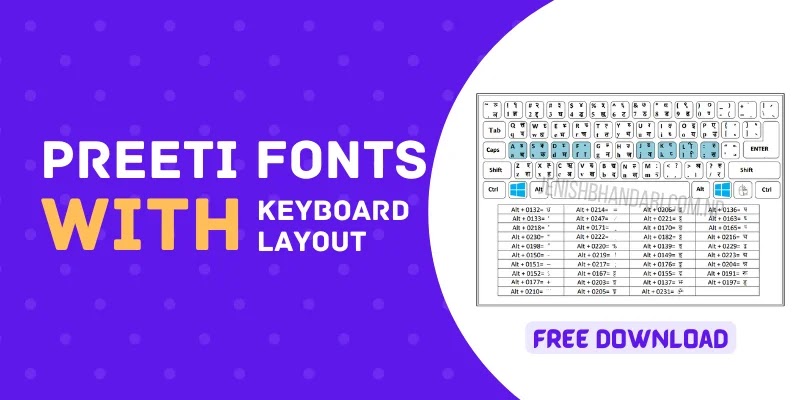
- Preeti Font Keyboard Layout - Visual reference guide for traditional Preeti font typing
- Nepali Unicode Converter - Online tool for easy phonetic Nepali typing without software installation
- Nepali Calendar for Windows - Keep track of Nepali dates while working on your projects
Conclusion
This comprehensive collection of 30+ stylish Nepali fonts provides everything you need for professional-quality Devanagari typography. Whether you're a graphic designer, video editor, content creator, or business owner, these beautiful fonts will significantly enhance your creative projects and professional work.
Each font in this collection has been carefully selected for its unique characteristics and practical applications. From elegant wedding fonts like CV Maya and Ananda Akchyar to bold headline fonts like CV Rabinbold and Abhinav, from traditional formal fonts like CV Sadhana to creative artistic fonts like CV Shrinagar and Aakar - this collection covers every possible use case.
Key Takeaways:
- All 30+ fonts are completely free for personal and commercial use
- Easy installation process works on Windows, Mac, and Linux
- Suitable for diverse projects: wedding cards, graphics, videos, documents, and more
- High-quality, error-free fonts from respected designers
- Can be used with various typing methods including Google Input Tools
Among this incredible collection, personal recommendations include Ananda Akchyar and CV Shrinagar due to their exceptional versatility and aesthetic appeal. These fonts work beautifully across multiple project types and are loved by both professionals and audiences. However, every font in this collection has its unique identity and strengths - the best choice depends on your specific project requirements and creative vision.
These stylish Nepali fonts can be used as multi-purpose fonts suitable for wedding card printing, graphics designing, content writing, video production, business branding, and much more. With this collection at your fingertips, you have the tools to create stunning, professional Nepali content that stands out and makes an impact.
Download your favorite fonts today and start creating beautiful designs that celebrate Nepali language and culture!
Need Help or Have Questions? If you have any queries or problems while downloading or using these stylish Nepali fonts, please feel free to contact us or leave a comment below. Our community is here to help you make the most of these beautiful fonts. We typically respond within 24 hours!
Ready to Transform Your Designs?
Download these beautiful Nepali fonts now and elevate your creative projects to professional level. Share this collection with fellow designers and creators!

 Learn more about IELTS in Nepal




0 Comments